

Here’s a scenario that plays out in organizations every day: A communications coordinator needs to send an urgent email. They log into the organization’s email platform, a sophisticated marketing tool with A/B testing, lead scoring, and conversion tracking, and spend 15 minutes trying to figure out how to send a simple, time-sensitive message.
Meanwhile, the marketing team is running a recruitment campaign using the same platform, optimizing subject lines for click-through rates and tracking prospect behavior through multiple touchpoints.
Same platform. Same technology. Completely different needs.
Yet somehow, we’ve accepted the premise that email is email, that one platform can serve both marketing campaigns and critical organizational communications equally well. It’s a flawed assumption that’s costing organizations time, creating unnecessary risk, and ultimately failing the people who need to receive clear, timely information.

How Email Communications Differs From Email Marketing
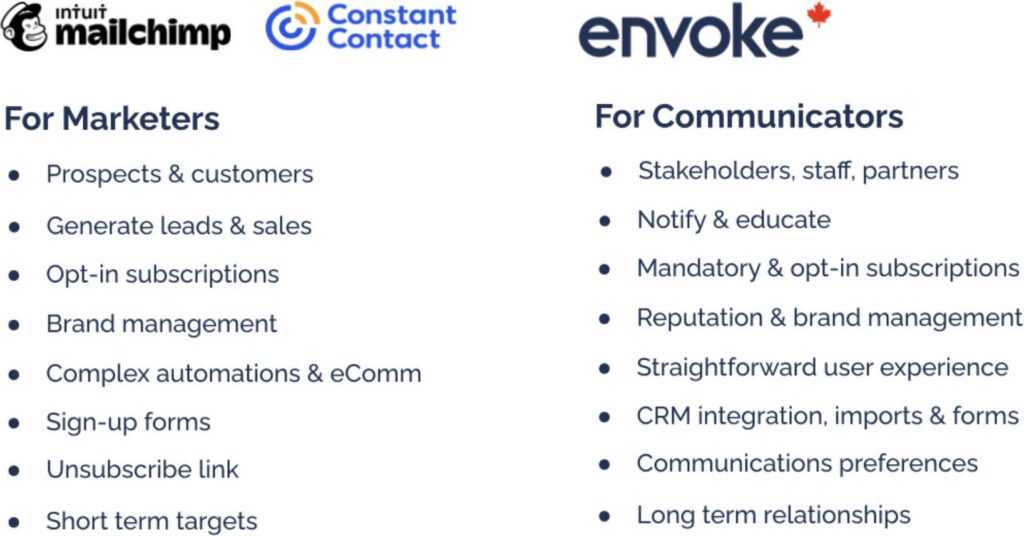
Let’s be clear: both roles are essential. But they’re fundamentally different, and those differences matter when it comes to the tools they use.
When a marketer’s campaign underperforms, they adjust and try again. When a communicator’s message fails, a municipal water advisory that doesn’t reach residents, a university emergency alert that’s delayed, a public health update with incorrect information, the consequences can be severe.
Different jobs require different tools. Yet many organizations force communications teams to use platforms designed entirely for marketing outcomes.

"Envoke gave us exactly what we needed as communicators, a Canadian platform that helps us get accurate information to residents quickly and keeps them engaged with what's happening in their community."
Communications Coordinator
Municipality of Port Hope
Why Marketing Platforms Create Risk for Communications Teams
Marketing platforms excel at campaign optimization. But when communications teams use these tools for daily work, the friction creates real operational problems—and real risk.
Complex Interfaces Slow Critical Sends
Marketing platforms are designed for multi-stage campaigns, not quick sends. Communications teams face multi-step workflows built around funnel stages, required fields for lead scoring that don’t apply to informational messages, and dashboards focused on conversion metrics rather than delivery confirmation.
Every minute matters when sending emergency alerts, service disruptions, or time-sensitive updates. Complex workflows slow teams down precisely when speed is most critical.
Communication teams often tell us that their biggest frustration isn’t the platform itself, it’s feeling like they have to work around it just to send a straightforward message.
Cape Breton University experienced this firsthand. After switching from Mailchimp to Envoke, their team could send faster, with less friction, and without paying for marketing features that had no relevance to their work. See how CBU made the switch.
Paying for Features You'll Never Use
Marketing platforms come loaded with capabilities communications teams don’t need: lead scoring and qualification, conversion tracking and revenue attribution, multi-touch attribution modeling, predictive send time optimization, and behavioral trigger automation.
These features don’t just add unnecessary complexity, they increase costs. Communicators using platforms like Mailchimp and Constant Contact end up paying premium prices for marketing functionality they’ll never touch.
For marketing teams, that depth is valuable. For communications teams, it adds complexity and cost without adding value. Communicators using platforms like Mailchimp and Constant Contact often end up paying premium prices for marketing functionality they’ll never touch.
Missing the Features Communications Actually Need
While marketing platforms excel at campaign tools, they often struggle with the specific capabilities communications work requires:
Mandatory messaging: Emergency alerts and policy updates must reach everyone—not just engaged subscribers. Marketing platforms are built around opt-in engagement, not guaranteed delivery.
Multi-department coordination: Universities, municipalities, and large associations have multiple departments sending to overlapping audiences. Marketing platforms lack sub-accounts, suppression lists, and the coordination tools needed to prevent inbox fatigue while maintaining departmental autonomy.
Brand control at scale: Communications teams need standardized templates that departments can customize within approved parameters, locked branding elements that can’t be accidentally changed, with editable content areas for department-specific messaging. Marketing platforms treat this as an afterthought.
Bilingual and accessibility capabilities: Canadian institutions need seamless English/French messaging, and communications must reach everyone, including audiences who rely on screen readers and assistive technology.
Accessible Media Inc. (AMI), a broadcaster serving Canadians with disabilities, needed an email platform that could match their accessibility standards. Mailchimp couldn’t. Learn how AMI found a better fit with Envoke.
When the Wrong Tool Creates Bottlenecks
The operational impact cascades throughout the organization:
Increased dependency: When platforms are too complex, communications teams become dependent on marketing colleagues for basic sends. This creates bottlenecks, delays critical messages, and pulls marketing staff away from their actual work.
In working with Canadian municipalities, we’ve seen this play out repeatedly. Communications staff who should be focused on resident outreach end up waiting on colleagues to navigate a platform that was never designed for their work in the first place.
Higher error rates: Confusing interfaces lead to mistakes, wrong audiences, incorrect information, broken links, missing accessibility features. A public health organization sending COVID-19 testing updates through a marketing platform risks sending outdated information to the wrong regions or missing critical accessibility requirements.
Compliance gaps: Marketing platforms are built for data collection and behavioral tracking. For Canadian public sector organizations handling sensitive information, this can create privacy concerns and potential compliance issues. Canadian organizations need platforms that respect data sovereignty and align with CASL and privacy legislation, and marketing tools often fall short in this area.
As one Strategic Communications Manager in Canada noted on Capterra: Envoke stores all data on secure Canadian servers, ensuring compliance with laws like CASL and PIPEDA.
When your platform fights your workflow instead of supporting it, everyone loses, especially the audiences who need clear, timely information.
What Communications Teams Actually Need in an Email Platform
If marketing platforms don’t serve communications teams well, what does?
Here are the essential requirements:
-
Designed for Clarity Over Conversion
The interface should prioritize message accuracy, audience reach, and delivery confirmation—not campaign performance metrics. Communicators need to:
- Send clear, straightforward messages quickly
- Confirm delivery to intended audiences
- Access simple, relevant reporting (who received it, when, delivery issues)
-
Built-In Accessibility and Bilingual Features
Communications must reach everyone in the audience, including:
- Accessible formatting for screen readers and assistive technology
- Seamless bilingual messaging (essential for Canadian institutions)
- Plain language support for diverse literacy levels
- Mobile-responsive design by default
-
Simple, Intuitive Sending—Without Technical Overhead
Communicators shouldn't need extensive training or technical expertise to send messages. The platform should be intuitive for:
- New team members
- Departments without dedicated communications staff
- Urgent situations requiring immediate sends
- Occasional users who send quarterly or seasonally
Test it for yourself with a Free Trial.
-
Strong Governance and Coordination Tools
Organizations with multiple departments need:
- Sub-accounts allowing departmental autonomy with central oversight
- Suppression lists to prevent over-emailing shared audiences
- Approval workflows for sensitive or high-stakes messages
- Brand consistency tools to maintain institutional voice across departments
Example: A university with Admissions, Student Services, Alumni Relations, and Academic Affairs all emailing students needs coordination to prevent inbox fatigue while maintaining department-specific messaging.
-
Canadian Data Residency and Privacy Alignment
For Canadian public sector organizations and institutions:
- Data stored in Canadian data centers
- Compliance with Canadian privacy legislation
- No cross-border data concerns
- Transparent data handling practices
-
Support Teams That Understand Communications
Technical support should understand communications contexts, not just marketing KPIs. Communicators need help with:
- CASL compliance guidance
- Accessibility best practices
- Deliverability
- Integrations and APIs
It's Not About Choosing One Team Over the Other
This isn’t an argument against marketing or marketing platforms. Marketing tools are excellent—for marketers. They’re sophisticated, powerful, and purpose-built for driving growth and conversions.
The problem isn’t that marketing platforms exist. The problem is the assumption that one platform can serve both marketing and communications equally well.
Marketing and communications are different disciplines with different goals, different stakes, and different requirements. The tools should reflect that.
Organizations don’t ask their finance team to use HR software or expect facilities management to work in project management platforms. So why do we expect communications teams to thrive using marketing tools?
When platforms are built with the wrong user in mind, everyone loses, especially the audience.
Students miss critical deadlines because messages were delayed by complex workflows. Residents don’t receive emergency alerts because the platform prioritized engagement optimization over guaranteed delivery. Association members unsubscribe because organizational updates feel like marketing campaigns.
The right tool for the job matters.
Envoke: Built for Communicators, Not Marketers
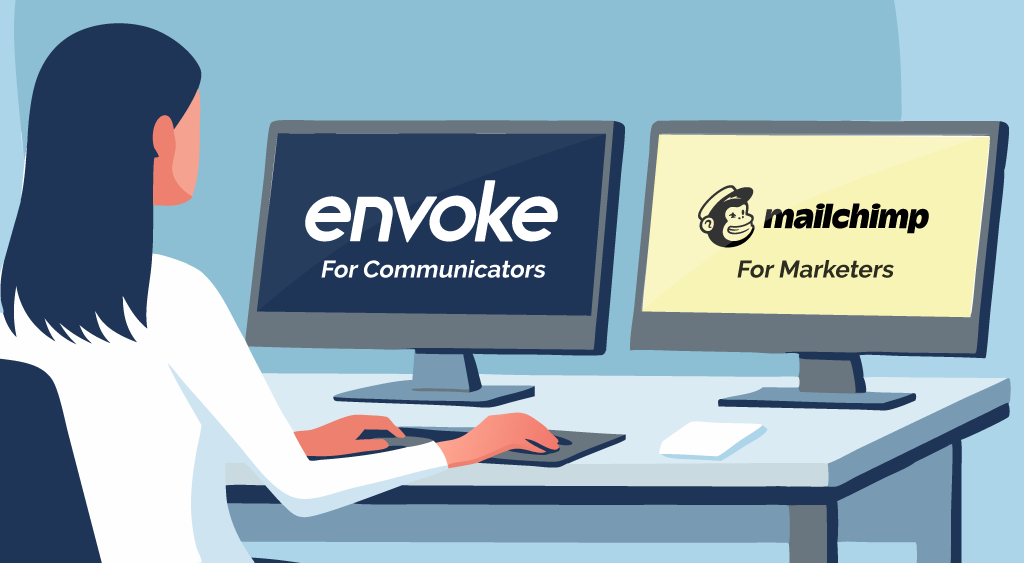
Envoke was created specifically for communications teams at Canadian organizations who need to send clear, important messages to their communities, not run marketing campaigns.
We’re not trying to compete with marketing platforms. We’re serving a completely different need. If your organization has both marketing and communications requirements, you might need both types of platforms. And that’s okay. The right tools empower teams to do their best work.
When you use a platform designed for your actual work, not adapted from someone else’s, everything becomes clearer, faster, and more effective. Your team spends less time fighting the software and more time doing what they do best: keeping your community informed, engaged, and connected.
Try Envoke free for 30 days and experience what happens when your platform is actually built for your work. No marketing features you don’t need. Just clear, fast, compliant communications.